
Add shareable codes to smart links (Non-Shopify / Shopify Headless)
Roster's tracking pixel includes an event system that lets brands subscribe to JavaScript callbacks when a discount code is retrieved from an ambassador's referral link. This is for headless Shopify stores and non-Shopify brands that need to apply discount codes through their own cart or session mechanism.
If you're a standard Shopify store, Roster applies discount codes automatically. See Add shareable codes to smart links (Shopify)Add shareable codes to smart links (Shopify) instead.
How it works
When a customer clicks an ambassador's referral link, they land on the brand's storefront where Roster's tracking pixel fires on page load. The pixel calls Roster's shareable endpoint to retrieve the ambassador's discount code associated with that referral link (if one has been assigned to the ambassador.)
If a code is returned, the pixel fires the onCodeRetrieved callback on the window.roster object. The brand's storefront code receives the discount code in the callback and applies it through their own cart mechanism — for example, by injecting it into a session, adding it to a cart API request, or pre-populating a discount field.
Prerequisites
- Roster's tracking pixel has been installed on your storefront or website. See Pixel tracking installation to get the correct install instructions for your store or website.
- You have set up smart links for the desired program(s). See Set up smart links for detailed instructions.
Confirm that the pixel you installed is pointing to cdn.rostercdn.com/sa.js
If you see any other value (e.g. sa.getroster.com/sa.js) then you are not using our most recent pixel and need to use the CDN version instead.
Integration steps
Enable shareable codes for these programs
Follow the Set up shareable codes guide to enable shareable codes for the desired program(s).
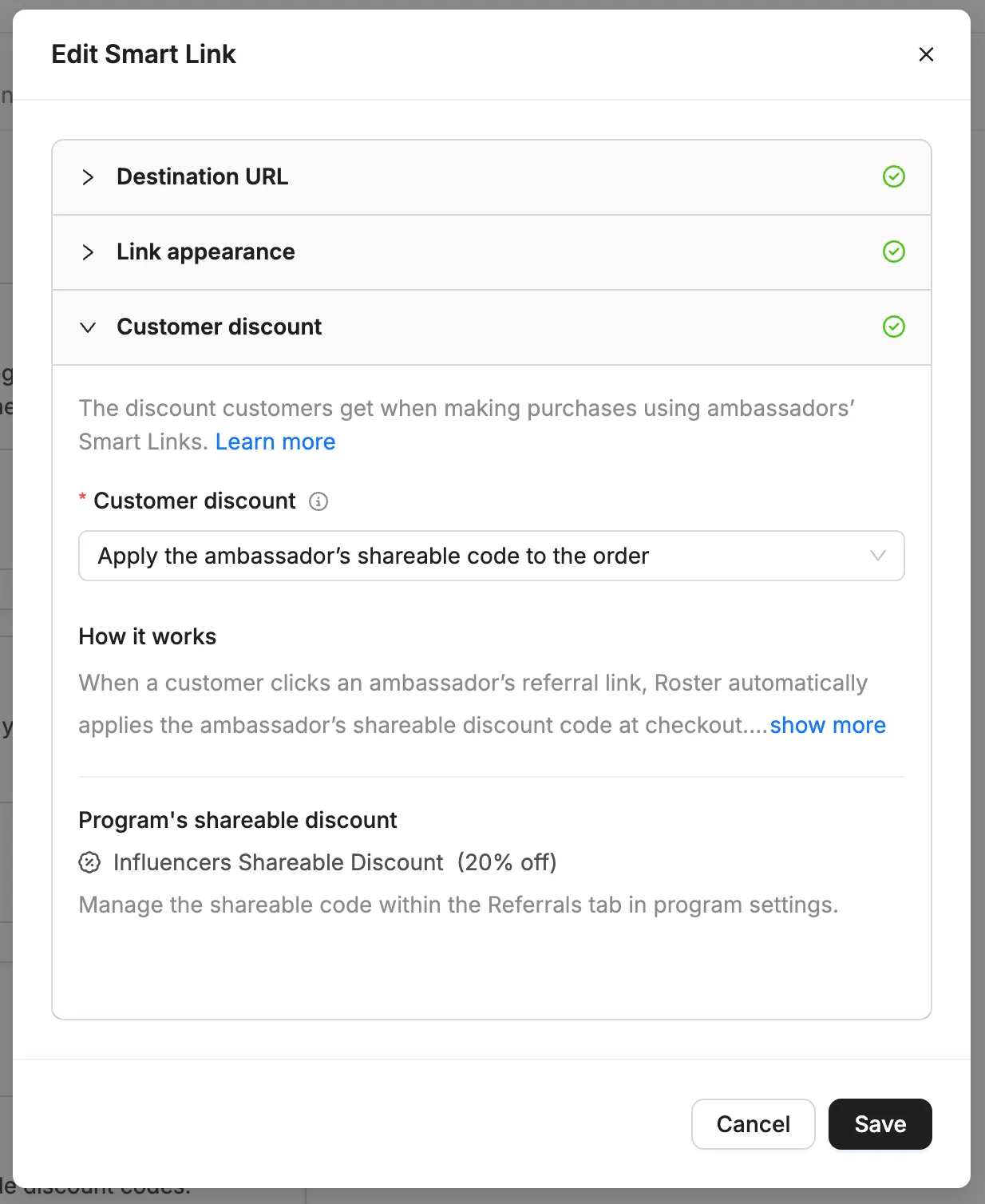
Enable shareable codes as the smart link's customer discount
- Open the customer discount section of smart link settings.
- Select shareable codes as the discount
- Confirm that the program-level shareable discount code is displayed (e.g., Friends and Family 15% Off).
- Click save.
Enable shareable code fetching in the tracking pixel
In your storefront or website frontend code where you installed the Roster tracking pixel, add forceShareableCodeFetch: true to the window.roster.config object.
This will trigger Roster's tracking pixel to attempt to fetch the ambassador's shareable discount code when a link click is emitted.
Define your event callbacks in your store frontend
Add an event handler for the onCodeRetrieved event, which gets called if the ambassador's shareable code is returned.
The event handler you define will be responsible for adding the shareable code to the customer's cart. For example, if the code SALLY20 is returned, then your handler will add that discount code to the customer's cart such that will automatically be applied during checkout.
Add the following script block demonstrates what your window.roster object should look like. The onClickTracked callback is optional.
<script type="text/javascript">
  window.roster = {
    config: {
      token: 'YOUR_PUBLIC_ACCESS_TOKEN',
      forceShareableCodeFetch: true
    },
    onCodeRetrieved: function(discountCode) {
      console.log('Discount code:', discountCode);
      // Replace this with your own logic to apply the code to the cart
    },
    onClickTracked: function() {
      console.log('Click tracked');
    },
    onError: function(error) {
      console.error('Roster pixel error:', error);
    }
  };
</script>

<script async type="application/javascript"
  src="https://cdn.rostercdn.com/sa.js"></script>
This script block must appear before the Roster pixel script tag in your HTML. If it appears after, the callbacks will not be registered when the pixel fires.
Download our Roster Pixel Event Tester HTML file to see how the events fire with one of your own ambassador's referral links.
Simply edit the file with your brand's public access token and paste in a link to see how the event callbacks work.
Test the integration
Once you have imlemented the callbacks on your storefront or website and pushed the changes live, use an ambassador's referral link on your store to verify that the shareable code is fetched from Roster, your event handler is called, and the discount code is applied to the shopping cart.
See Verify installation with Roster's Chrome Extension to speed up the verification process using Roster's Chrome browser extension.
Event reference
Callback | Signature | Description |
|---|---|---|
onCodeRetrieved | function(discountCode) | Called when a discount code is successfully returned from Roster's shareable endpoint. discountCode is a string containing the code to apply. |
onClickTracked | function(click) | Called when a referral click is tracked by the pixel. click is an object containing click details such as referralLinkId, landingPageUrl, referrerUrl, queryParams, utmParams, userAgent, linkSource, linkVariant, characterSet, title, location, externalId, and clickTimestamp. |
onError | function(error) | Called when an error occurs during the shareable endpoint request or a callback error is caught. error is a string or Error object describing what went wrong. |
Config reference
Property | Type | Default | Description |
|---|---|---|---|
token | string | "" | Your public access API token. Required. |
forceShareableCodeFetch | boolean | false | Set to true to enable discount code retrieval on non-Shopify storefronts. Required for this integration. |
Need help?
If you have any questions about integrating Roster's pixel event system, contact us at [email protected].