
Set up smart links
Before jumping in, be sure to read the Smart links guide to understand the full benefits of Smart Links. Adding a Smart Link to a program will replace program members' existing referral links with Smart Links. Enabling Smart Links will not break ambassadors existing referral links, but any features added to the smart link such as customer discounts, UTM params, won't apply to legacy referral links.
Step-by-step instructions
Navigate to the Referrals in program settings
- Click on Settings for the program where you want to enable smart links.
- Click the Referrals tab from within program settings.
- Click Add a Smart Link
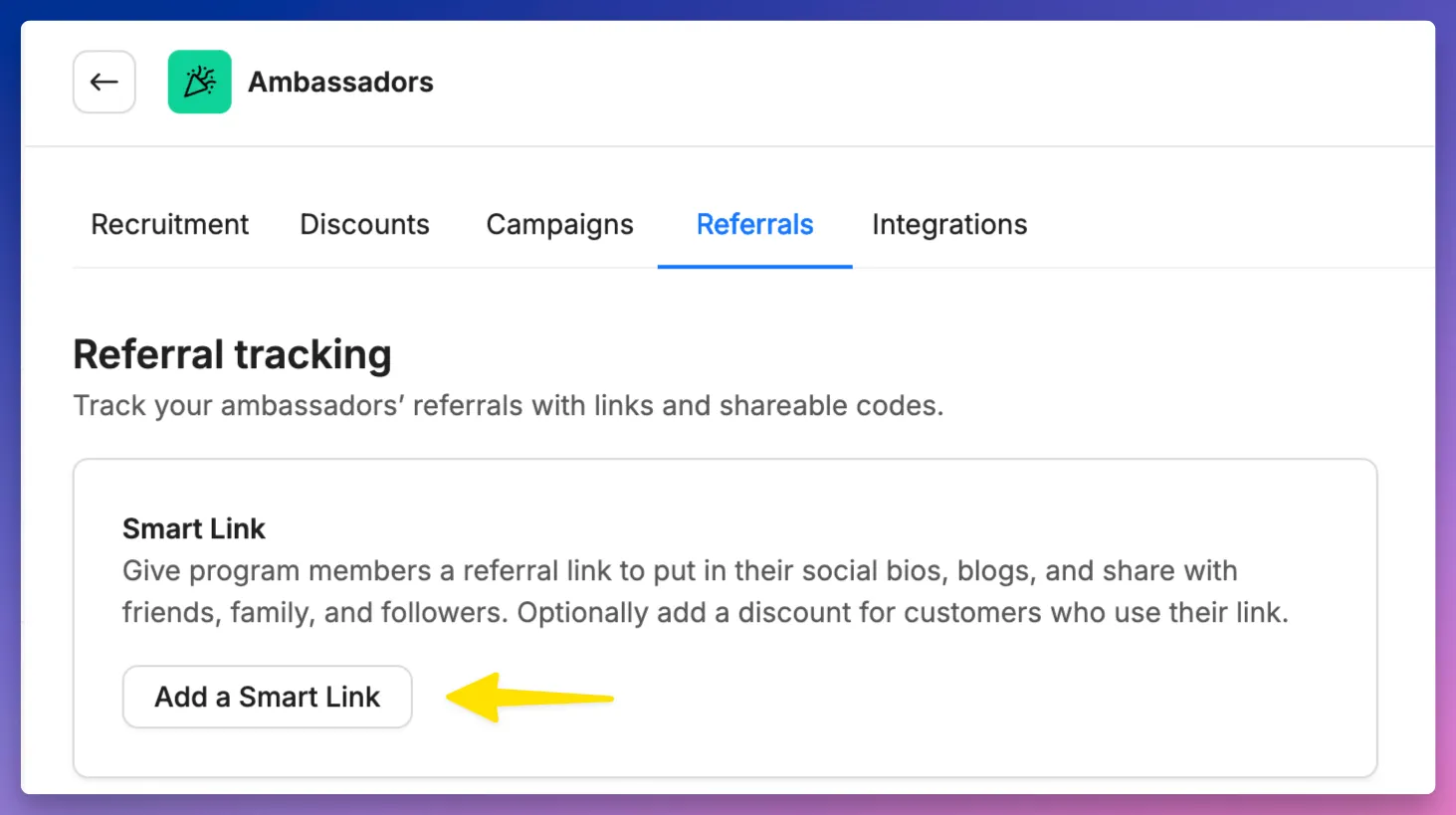
🛑 If you don't see the Smart Link section in the Referrals tab, then your account isn't in the Smart Links beta program. Contact [email protected] for assistance.
Configure the Destination URL
Destination URL: This is the website customers will land on when they click an ambassador’s Smart Link. Most brands set this to their store’s homepage, but you can use a collection, a product page, or any custom landing page.
Dynamic Path Parameters: You can append path parameters to the URL for dynamic routing. For example, if you wanted to have custom landing pages for each of your ambassadors, you could add /{{FullName}} as a path parameter, which would redirect to a URL such as https://yourbrand.com/pages/AliceJones
URL Parameters: Add UTM and other URL parameters to help track the effectiveness of your Smart Links across different channels. Brands can add standard UTM parameters or custom key-value pairs to track specific metrics or to unlock additional parameter-driven functionality to referral links.
Dynamic URL Parameters: Similar to Dynamic Path Parameters, the Dynamic URL Parameters allow you to add ambassador-specific values to their destination URLs. Options include:
- Ambassador ID - A unique, numeric identifier assigned by Roster to each ambassador. E.g. 21456.
- Referral ID - A unique value that allows Roster to identify the owner of a referral link or smart link. See the options in the Link Appearance section for setting the Default Referral ID and determining whether ambassadors can further customize their referral IDs.
- Full Name - The ambassadors full name, with spaces and special characters removed. E.g. A link belonging to Alice Jones would have a value of AliceJones.
Attribution Window: Set the duration for which a click on a Smart Link will attribute conversions to the ambassador. By default, this is set to 30 days, but you can customize it on a program-by-program basis to suit your needs.
Destination URL Preview: This preview allows you to see how the final URL will appear, ensuring it is correct and includes all necessary parameters.
💡 If you are using the Roster short link option (see the Link Appearance section), the destination URL and URL parameters can be changed at any time without requiring ambassadors to update their social bios, LinkTrees, etc.
Configure the Link Appearance
Link Appearance: This is how an ambassador’s Smart Link will appear when shared in social bios, Linktree, with friends, etc. Options for the link appearance include:
- Roster Short Link - This is the recommended option, as it provides a compact, branded, and future-proof referral link. Roster's short domain is rstr.co. The fully generated referral link includes your brand's handle and ambassadors' referral ID, e.g., rstr.co/yourbrand/1234. Using the Roster Short Link allows you to change any of the Destination URL and Customer Discount options without affecting ambassadors existing links they may have shared publicly.
- Destination URL - Use the full destination URL for ambassadors, including all parameters. The main benefit of this option is that it uses your brands' domain as the referral link (e.g, https://yourbrand.com) but comes at the cost of potentially long and unsightly links (e.g., https://yourbrand.com/?rstr=12345&platform=roster&ls=avg2-fae5-7jeag&lv=avx&utm_source=organic-referral&utm_campaign=jane-doe-12345&utm_medium=ambassador.)
- Brand Subdomain - Optionally, use a subdomain specific to your brand for a more customized link, e.g., https://ap.yourbrand.com/1234. Email [email protected] to inquire about using this option.
Default Referral ID: Define how the ambassador's initial referral ID will appear in their referral links. This setting will not override ambassadors' existing customized referral IDs, e.g., if Alice has already customized her default referral ID from 1234 to AliceJones, changing the Default Referral ID will not change her referral ID.
- Unique Number (Recommended) - This is the default option in Roster, which uses a unique numeric value to identify an ambassador. We recommend this as a good starting point, as it doesn't put any user-identifiable info in ambassadors' referral links.
- Unique Letters & Numbers - Similar to Unique Number, but generates a unique string of numbers and letters.
- Custom Value + Unique Numbers - Combine a custom value with unique numbers for added personalization. When this option is selected, you are able to provide a default or dynamic custom value, such as ambassador or {{FullName}}.
Customizable Referral ID: Allows ambassadors to customize their Referral ID with a unique alphanumeric value, such as their name, Instagram handle, or other self-identifying value.
Examples of when brands have opted to prevent ambassadors from customizing their referral link include:
- A cell phone carrier who wanted ambassadors' referral IDs to be their 10-digit mobile number (to make it easy for ambassadors to remember their referral link URLs)
- A social networking app who wanted their ambassadors' referral IDs to be their network handle.
- A brand who wanted to migrate their existing referral IDs into Roster and didn't want their ambassadors changing them so that they could continue to report consistently across multiple platforms.
Link Preview: A preview showing how the referral link will appear, ensuring the branding and formatting are correct.
Add a customer discount
Customer Discount: Decide whether to apply a discount for customers using an ambassador's Smart Link. Leakproof Codes and Campaign Links by Veeper options are currently only available to Shopify brands. The Shareable Code option is available to all brands.
- Don’t Apply a Customer Discount - No discount will be applied to purchase made from an ambassador's Smart Link.
- Leakproof Code - This is a Shopify-specific feature. Leakproof Codes is recommended option to applying a customer discount if your brand has experienced unwanted leaking of ambassadors shareable (aka vanity) discount codes. When selected, Roster will automatically generate single-use, randomized discount code at checkout to prevent misuse and ensure discounts are only applied when intended.
- Shareable Code - When selected, Roster will automatically ambassadors' program-level shareable code to customers' shopping carts. Prior to Smart Links, this option was available by enabling the "Automatically Apply Shareable Discount Code" on the Shareable Code setting itself.
- Note: Non-Shopify brands are required to do some manual integration with their website in order to use this feature. See Add leakproof codes to smart links (Shopify Headless) for detailed instructions.
- Campaign Links by Veeper - This is a Shopify-specific feature. Not to be confused with Roster's campaign feature, Campaign Links by Veeper is a feature offered by Veeper, a Shopify app that provides multiple options to combatting leaked discount codes. This is a great option if you already using Veeper or would like advanced code leaking features like preventing browser plugins like Honey from injecting discount codes into customers' carts at checkout.
Save the smart link settings
Once all required sections are completed, you can enable the Smart Link for your program. This will automatically generate unique links for all ambassadors in the program.
If the Save button is disabled (not clickable), it means one or more required fields have not been property completed. Open each section in the Add/Edit smart link modal and ensure that you have configured all the required settings.
Notify ambassadors of their new (or updated) link
When a program's Smart Link is added or edited, you will be given the option to notify ambassadors of the changes via a pre-built email template. This ensures they have the most up-to-date links and can make any necessary updates to where their links are shared.
Next steps
- Migrate to smart links for brands using Roster's legacy referral links.
- Add leakproof codes to smart links (Shopify) to offer customers a discount.
- Import existing referral links if migrating from another platform.
- Smart link FAQs for tips, tricks, and advanced features.
Need help?
If you have any questions or need assistance, please reach out to our customer success team at [email protected].