
Troubleshoot PayPal Issues
If you are having trouble setting up or using the PayPal integration, the following sections might get you back on track. If you are still unable to resolve your issue, send a message to [email protected].
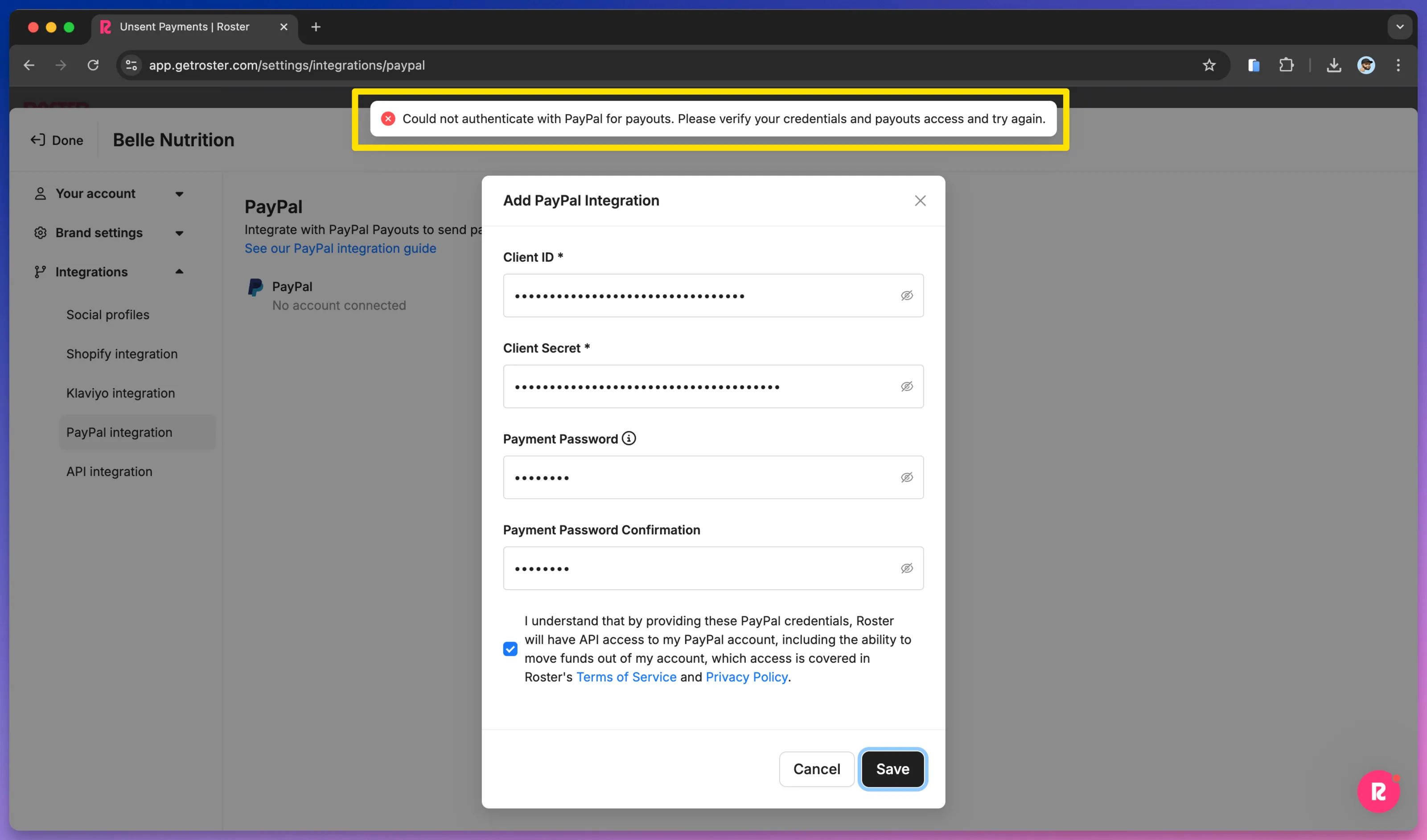
Invalid PayPal app credentials
If you see this error message when trying to connect PayPal, it means your Client ID and Client Secret are invalid or that you created a Sandbox app instead of a Live app. Be sure to follow the steps in the Create a live PayPal app section of the Connect PayPal to Roster guide.
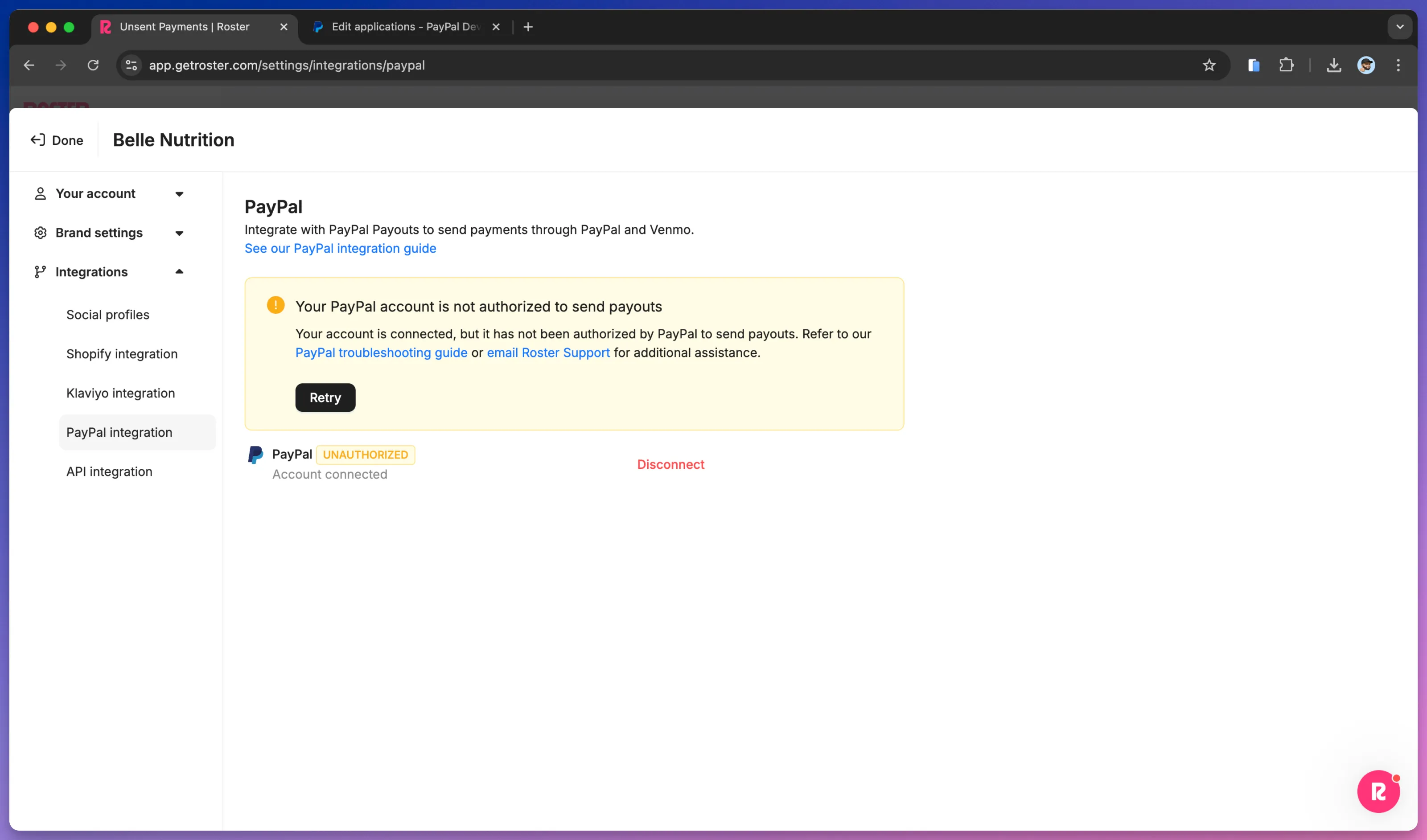
Not authorized to send payouts
If you see this warning after adding your PayPal app credentials, it means PayPal has not yet approved your account for Payouts. Follow the payout prerequisites in the Connect PayPal to Roster guide.
Incomplete PayPal Business account setup
The payouts verification process often will be auto approved within 1-3 business days when the PayPal business account is fully setup and verified as a business. If your payouts request extends beyond 3 business days, this usually has to do to with one or more of the following reasons:
- The PayPal account is a new business account. This can trip up PayPal during their verification process. Ensure you have completed the verification steps in the Payouts prerequisites section of our PayPal guide.
- The PayPal account has no or minimal transactions. This can come across to PayPal as a potentially fraudulent account.
- PayPal has flagged your account as a merchant category ineligible for payouts.
Unfortunately, you won't know if the delay is due to any of these reasons without talking to PayPal directly, so it's best to just call them as soon as you sense that your Payouts request might be delayed. You can reach PayPal at 1-888-221-1161. Please let us know if this number no longer works, as they tend to rotate phone numbers periodically.
Forgotten payment password
If when attempting to send payments to your ambassadors, you can't remember your payment password, you will need to disconnect the PayPal integration in Roster and re-connect it. Roster doesn't store your password, so it is not retrievable.
The payment password is a password you created when connecting your PayPal account, and it is NOT the same as the password you us to log into PayPal.
Having a payment password protects your PayPal integration from unauthorized use, including from Roster employees.
See Connect PayPal to Roster for steps to re-connect your PayPal account.
Insufficient funds in your PayPal account
Before sending a payment, it is important that you confirm that your PayPal balance has sufficient funds to cover by the full payment amount and the fees charged by PayPal.
The sender pays Payout fees at transaction time. Fees vary by sending country, are calculated as a percentage of each transaction, and are capped. U.S. payees are capped at $0.25 when sent via the Payouts API (Roster uses this API for the PayPal integration.) For non-U.S. payments, the variable component is typically 2%. For detailed information about payout fees, see the PayPal Merchant Fees page.
Need help?
If you have any questions or need assistance, please reach out to our customer success team at [email protected].