
Create a manual cash reward
A manual cash reward lets you pay an ambassador real money directly, without tying the reward to a campaign or a milestone. Use it to send a one-off thank-you, cover something you agreed to outside a campaign, or reward work that doesn't have a campaign behind it. It mirrors the manual referral reward flow you may already know, so there's nothing new to learn.
Like every cash reward, a manual cash reward is a promise of money, so it's only available once your brand has a way to pay. You'll need either Automated Payments or a PayPal & Venmo gateway configured, the same payment options your referral commissions use. Until one is set up, New cash reward is greyed out with a link to your payment settings.
Step-by-step instructions
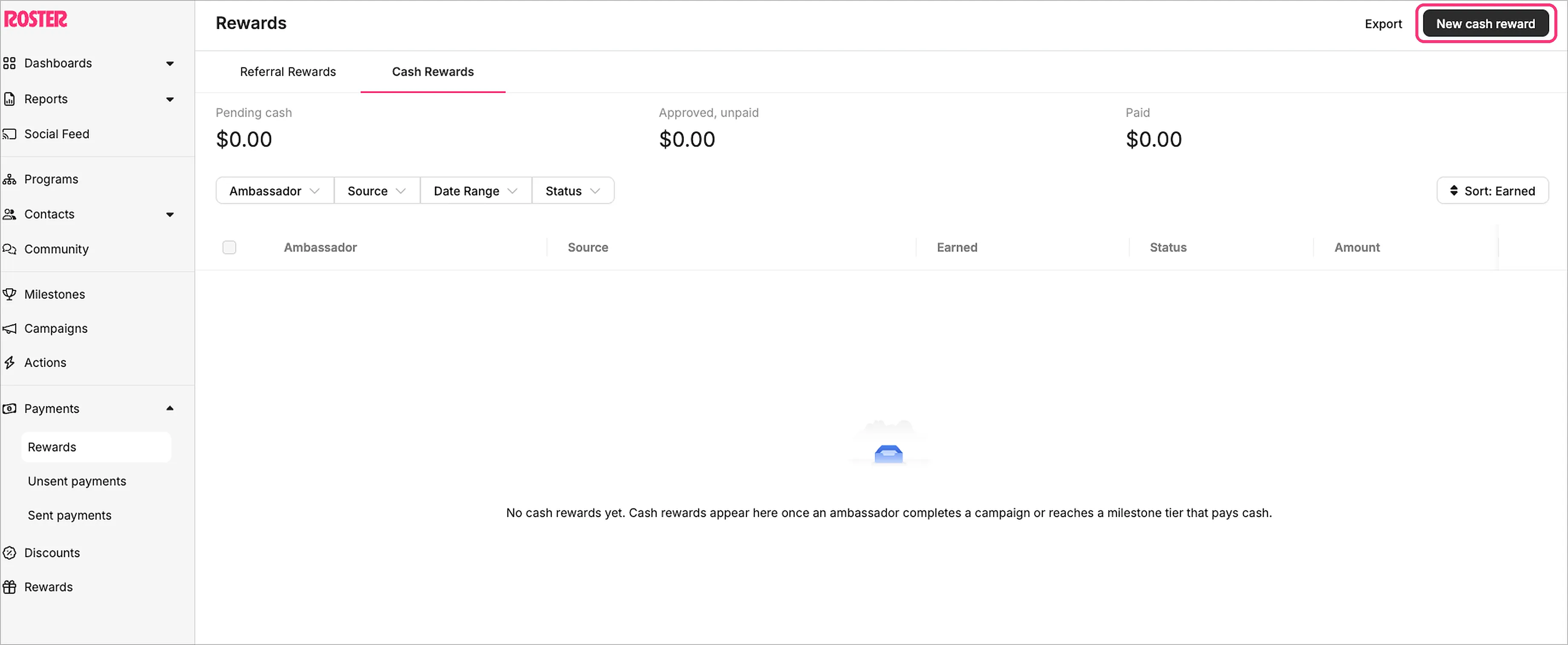
Open the Cash Rewards tab
- Go to Payments in the left-hand menu, then open Rewards.
- Select the Cash Rewards tab, beside your existing Referral Rewards.
Create the reward
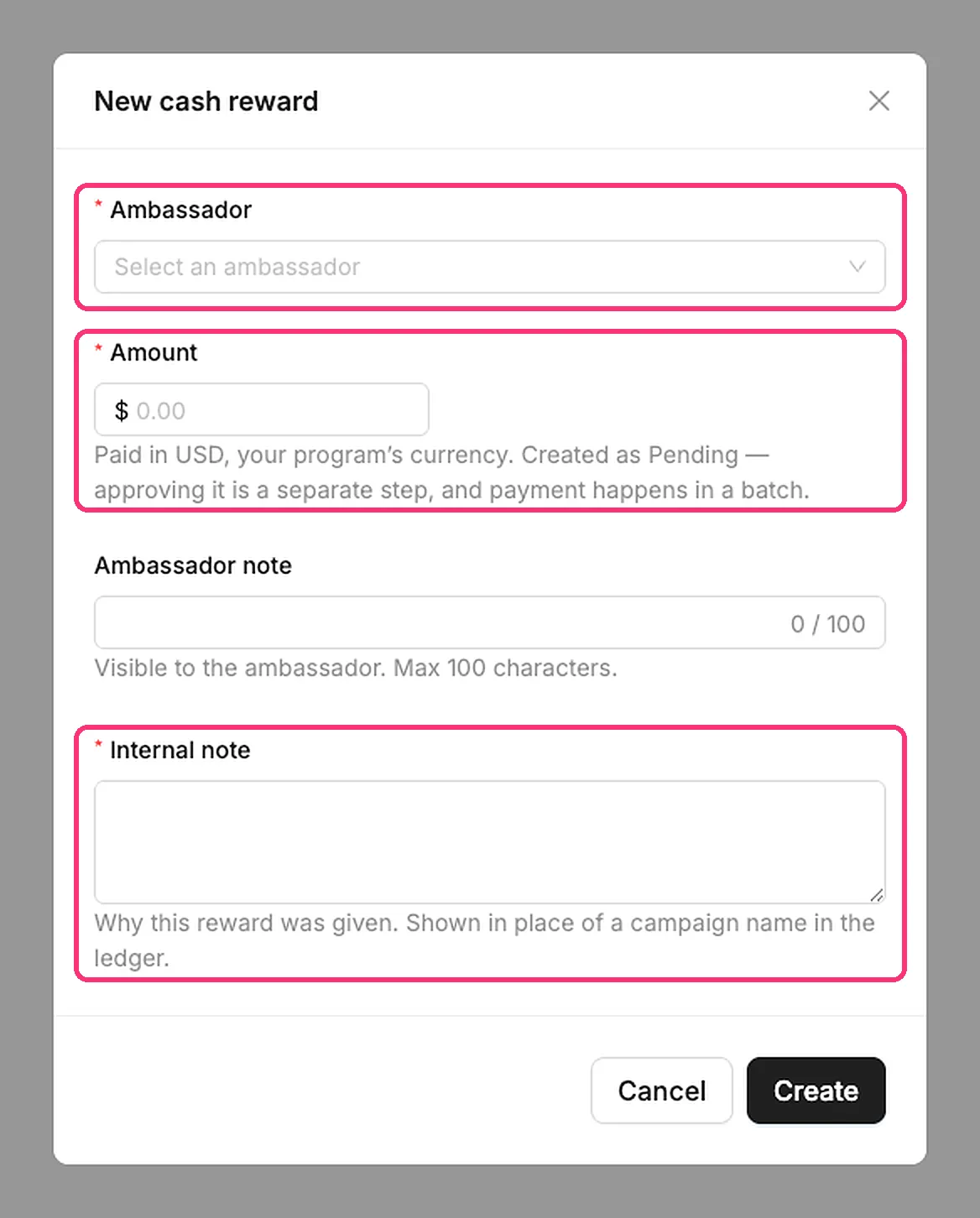
- Click New cash reward.
- Choose the ambassador who should receive it.
- Enter the amount. It must be greater than zero and uses your brand's configured currency.
- Add a short note explaining what the reward is for (option for both internal note and ambassador note).
- Click Save.
The note matters. A manual cash reward has no campaign or milestone behind it, so the note is the only record of why it was paid. It's how you and your team will remember later. The ambassador and the amount can't explain themselves.
Track it on the Cash Rewards tab
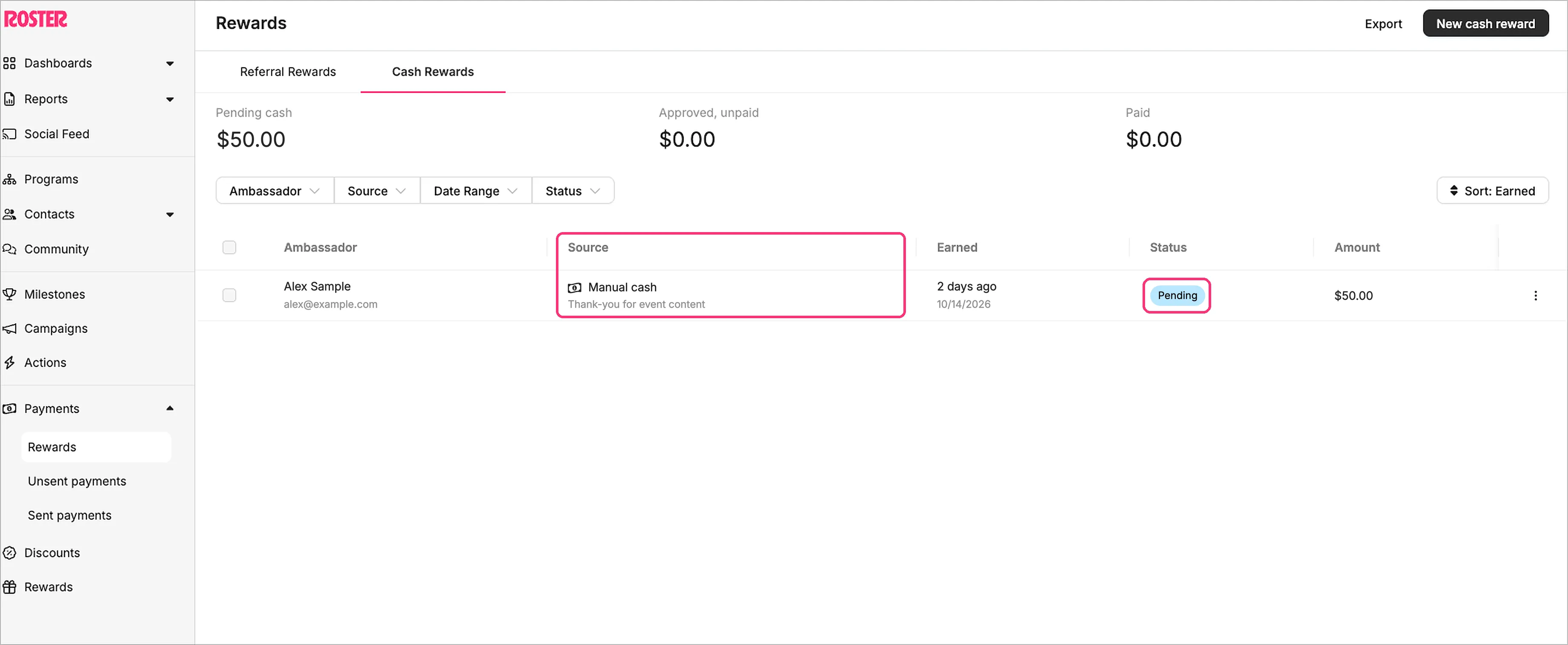
- Your new reward appears in the Cash Rewards list. Its Source reads Manual cash reward, along with who created it and the note you entered.
- Each row shows the ambassador, the source, the date, the status, and the amount.
- The reward moves through the same status ladder as every cash reward: Pending, then Approved, then Paid.
How it gets paid
Approved cash accrues to the ambassador's balance and pays out in the next qualified payment batch, the same batch as their referral commissions and any other cash rewards. One payout, one reconciliation.
- In Unsent payments, an ambassador's total is their referral commissions plus their cash rewards. The breakdown popup lists cash rewards on their own Cash rewards tab.
- Your minimum payment amount (if you've set one) applies to the combined total.
- Taxes and wallets work exactly as they do for referral commissions. Nothing changes about how payouts are processed.
Why a payout can be larger than the "commissions" figure. The ambassador's Referrals page shows commissions only, but cash rewards are paid in the same batch. So an ambassador might see "commissions: $37.40" there and receive more. The difference is their cash rewards, listed individually on their Rewards page. If an ambassador asks why their payout is higher than their commission total, that's why.
Good to know
- A manual cash reward is a flat, one-off amount, not a performance tier, CPM, or bonus.
- Removing your payment gateway later blocks you from creating new cash rewards, but anything already earned is still owed and will still be paid.
- Want cash tied to completing a campaign or reaching a milestone tier instead? See Cash rewards overview.
Related articles
Need help?
If you have any questions or need assistance, please reach out to our team at s[email protected].