Connect Your Payment Information
3 min
How to Connect Your Payment Information in Roster
To ensure you receive your commissions smoothly and enjoy the full benefits of being an ambassador, follow these steps to connect your payment information in Roster:
Step 1: Access Your Account Settings
- Log in to your ambassador account on Roster.
- Navigate to the top right corner of the portal.
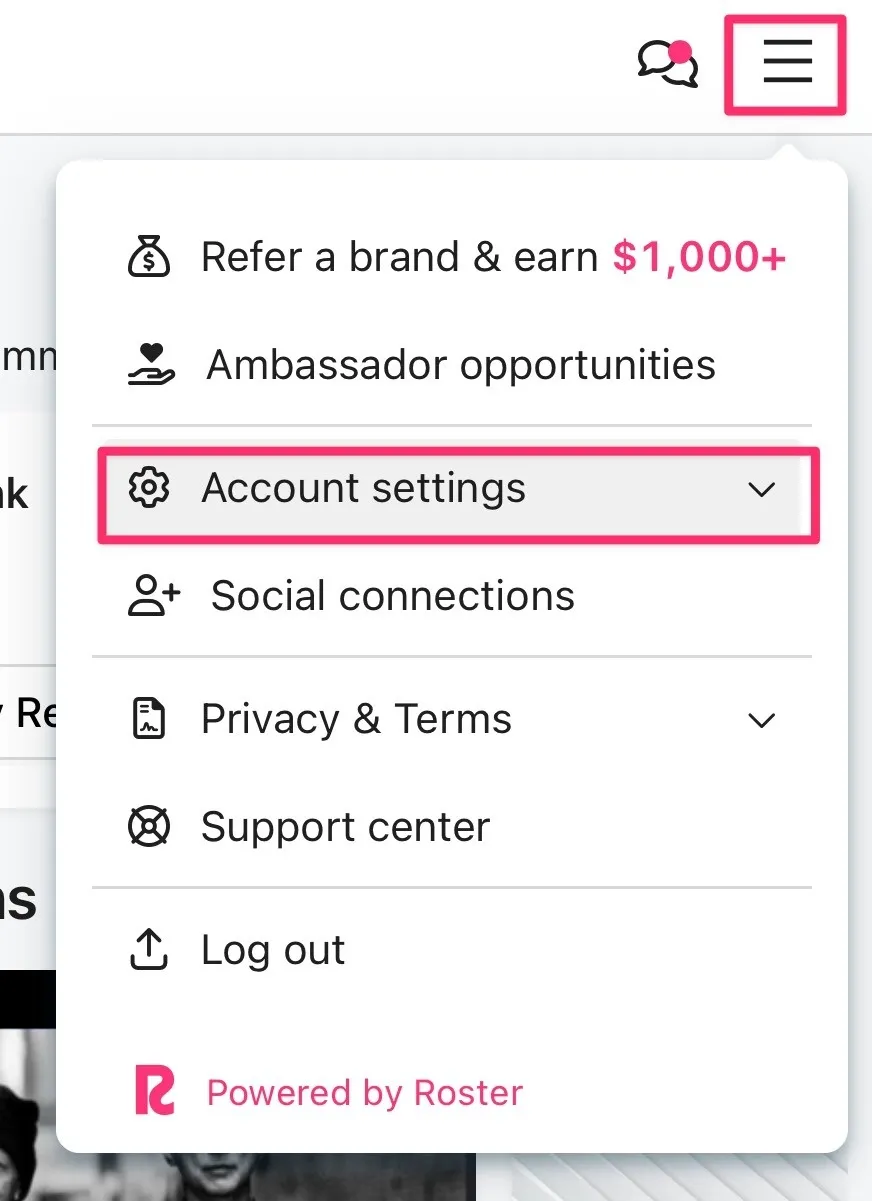
Step 2: Locate Payment Information
- Click on the drop-down menu and select "Account Settings".
- Within Account Settings, find the "Payment Information" tab.
- Click on the "Payment Information" tab to proceed.
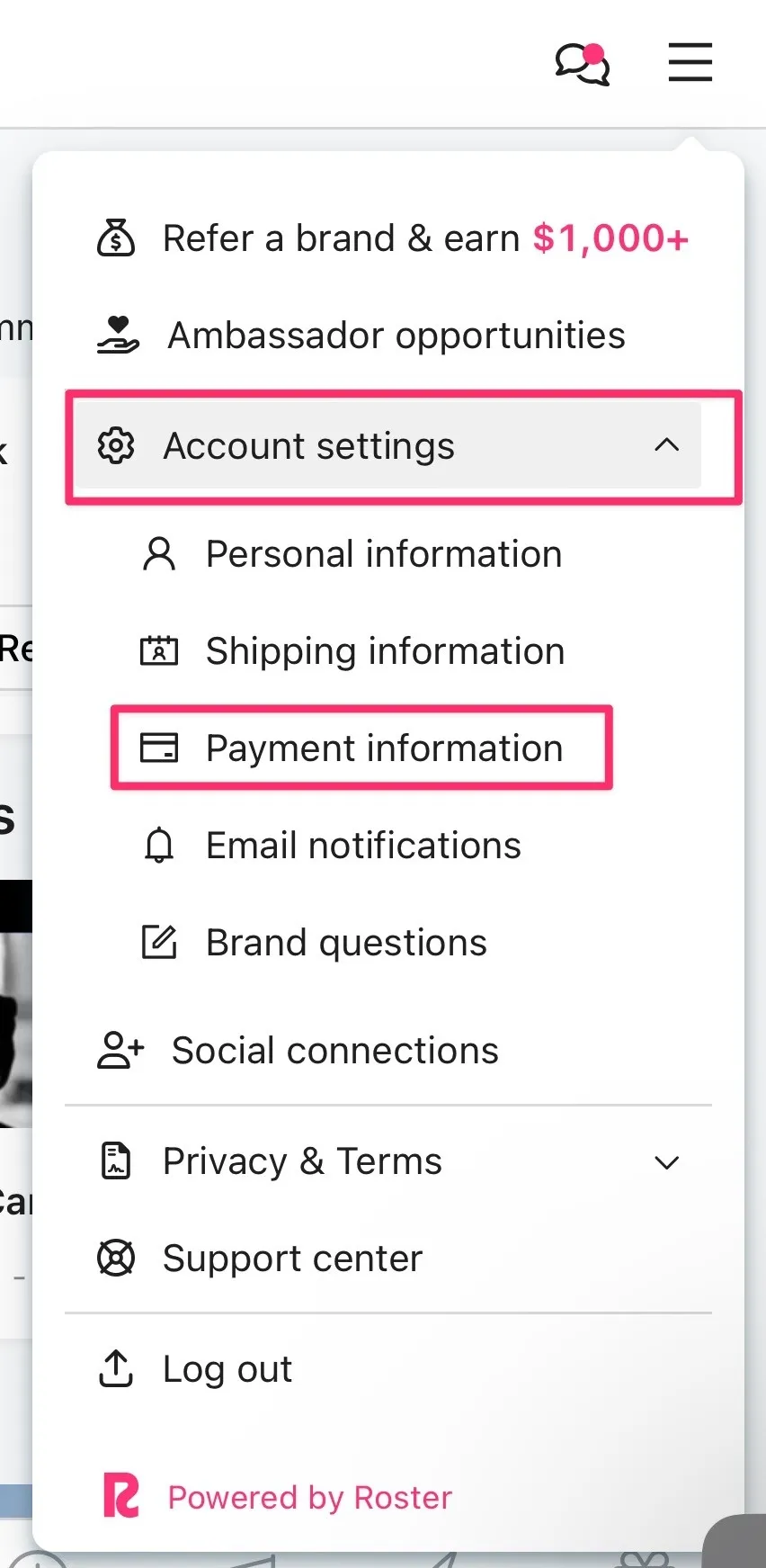
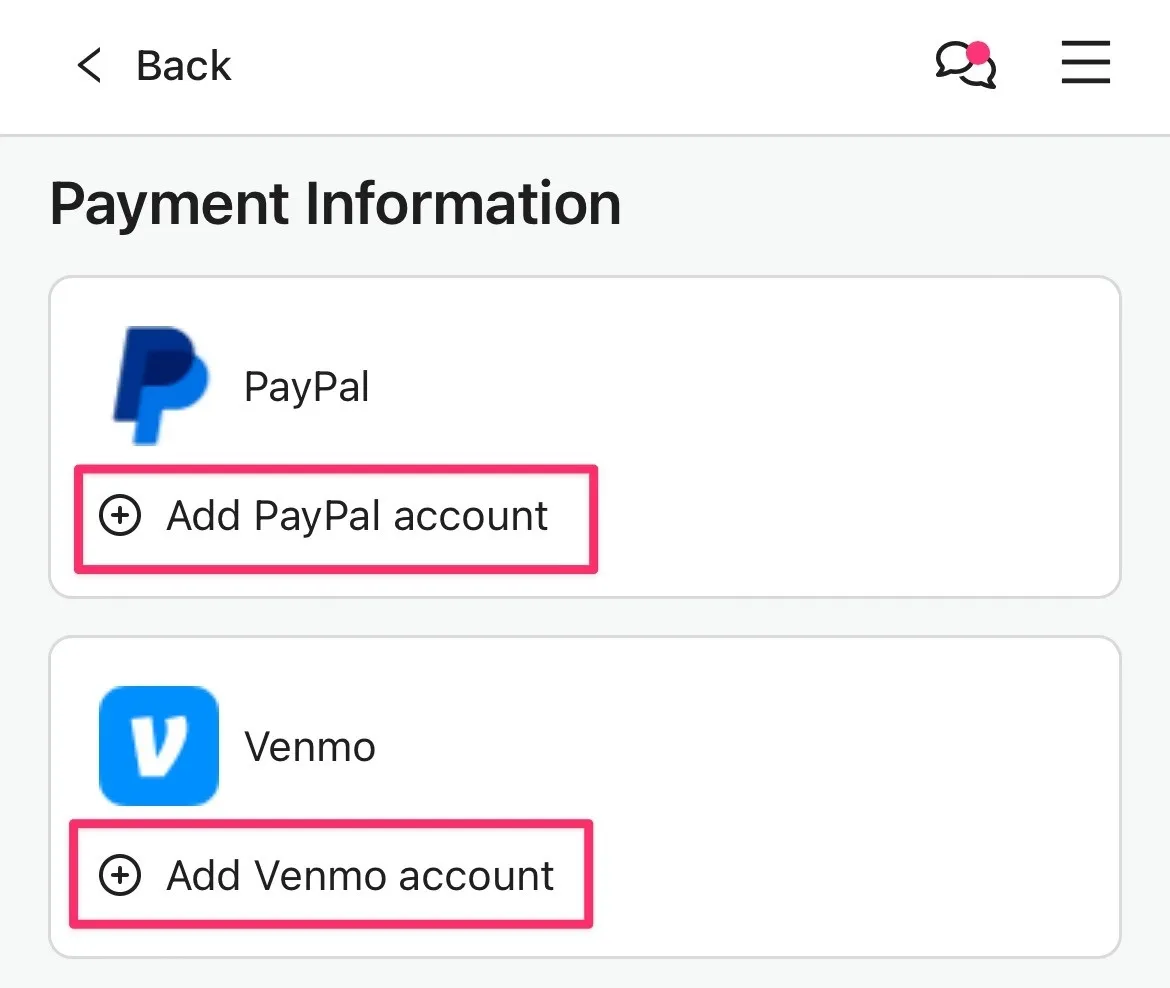
Step 3: Connect Your Payment Method
- Follow the prompts to connect your payment method securely (e.g., Venmo or PayPal account)
By connecting your payment information, you'll continue to enjoy the benefits of being an ambassador and unlock access to exclusive opportunities and commissions on referred orders.
For any questions or assistance, please reach out to our support team at [email protected].